
LG Dryer D80, D90 and D95 Airflow Codes
LG Dryer D80 Code guide: learn the key details, compare options, check verified sources, and make a safer decision before you act.

If an LG dryer D80 code appears, the first step is to stop treating the problem like a failed dryer part and check the airflow path. LG uses D80, D90 and D95 as Flow Sense warnings that point to progressively stronger exhaust restriction on affected models. Start with the lint filter, the transition duct behind the dryer, and the outside vent. If those accessible areas are clear but the warning returns, the restriction may be deeper in the house duct or the dryer may need model-specific diagnosis.
What the LG Dryer D80 Code Means
LG’s current dryer error-code guidance groups D75, D80, D90 and D95 with restricted exhaust airflow. The number is LG’s indicated restriction level for the Flow Sense system on affected models. In plain language, D80 is a serious airflow warning, and D90 or D95 indicates an even more severe restriction condition.
LG also makes an important point that is easy to miss: the restriction can be somewhere between the dryer and the outside exhaust exit. That means the code is not automatically saying that the dryer itself is defective. The problem can be in a crushed transition duct, lint buildup in the wall vent, a blocked exterior hood, or another part of the exhaust route.
For a related next step, read dryer repair Toronto.
You can verify the current code family in LG’s official dryer error-code guidance. The exact display behaviour and available test procedures still depend on the model, so use the model manual when it provides more specific instructions.
D80 vs D90 vs D95: The Practical Difference
The codes belong to the same airflow family. The useful difference is severity, not a different failed component for each code.
- D80: LG describes this as an indicated 80 percent exhaust restriction condition on affected models.
- D90: The system is indicating a more severe restriction condition.
- D95: The warning is at the highest level in this code group and deserves prompt attention to the exhaust path.
Do not interpret the number as a reason to order a specific sensor, heater or blower. Flow Sense is telling you that airflow is not behaving as expected. The next job is to find out where the restriction or related condition is.
LG has also published a gas-dryer caveat stating that on some gas dryers a D80 display may indicate a lack of gas supplied to the unit. That is another reason the exact model documentation matters. If the dryer is gas and you have a gas-supply concern, do not open or work on gas-side components yourself.
Follow the Airflow Path in Order
The safest way to troubleshoot this code is to follow the same route the moist air has to travel. Skipping straight to the middle of the system can make a simple restriction harder to find.
1. Start at the lint filter
Remove the lint screen and clean it thoroughly. Do not stop at pulling off the visible lint blanket. A screen can collect residue that reduces airflow even when it does not look heavily loaded. Clean it according to the dryer instructions and reinstall it correctly before testing again.
If the filter is damaged, does not seat properly, or is packed with lint below the accessible screen area, note that for service. Do not reach deep into the dryer with improvised tools while the appliance is powered.
2. Check the transition duct behind the dryer
Turn the dryer off before inspecting behind it. Look for a duct that is crushed between the appliance and wall, sharply kinked, disconnected, or routed in a way that severely narrows the air path. A dryer that was recently moved or pushed back after cleaning can develop a restriction here without anything inside the machine changing.
The transition duct should also be suitable for dryer exhaust service. Do not solve a routing problem by compressing the dryer tighter against the wall.
3. Look at the exterior exhaust hood
During a normal drying cycle, the exterior flap should be able to open and exhaust air should be noticeable. Weak airflow at the outside hood, especially when the dryer is warm and running, supports the idea that the vent path is restricted.
Check for lint mats, debris, a stuck flap, snow, or other obvious obstruction at the outlet. Stay clear of hot exhaust surfaces and do not reach into a moving fan or powered appliance.
Why Drying Performance Can Change Before a Code Appears
Flow restriction often develops gradually. The first sign may be towels needing a second cycle, heavier loads staying damp, or the dryer running hotter than it used to. The Flow Sense warning may appear later, after the restriction has become strong enough for the dryer to flag it consistently.
That history matters because a code that follows months of lengthening dry times supports an airflow investigation even if the vent outlet is not completely blocked. Conversely, a code that appears immediately after the dryer was moved makes a crushed transition duct especially worth checking.
Write down whether the code is new, intermittent or present on every load. The pattern gives a technician or vent professional useful context about whether the problem is developing gradually or tied to a recent physical change.
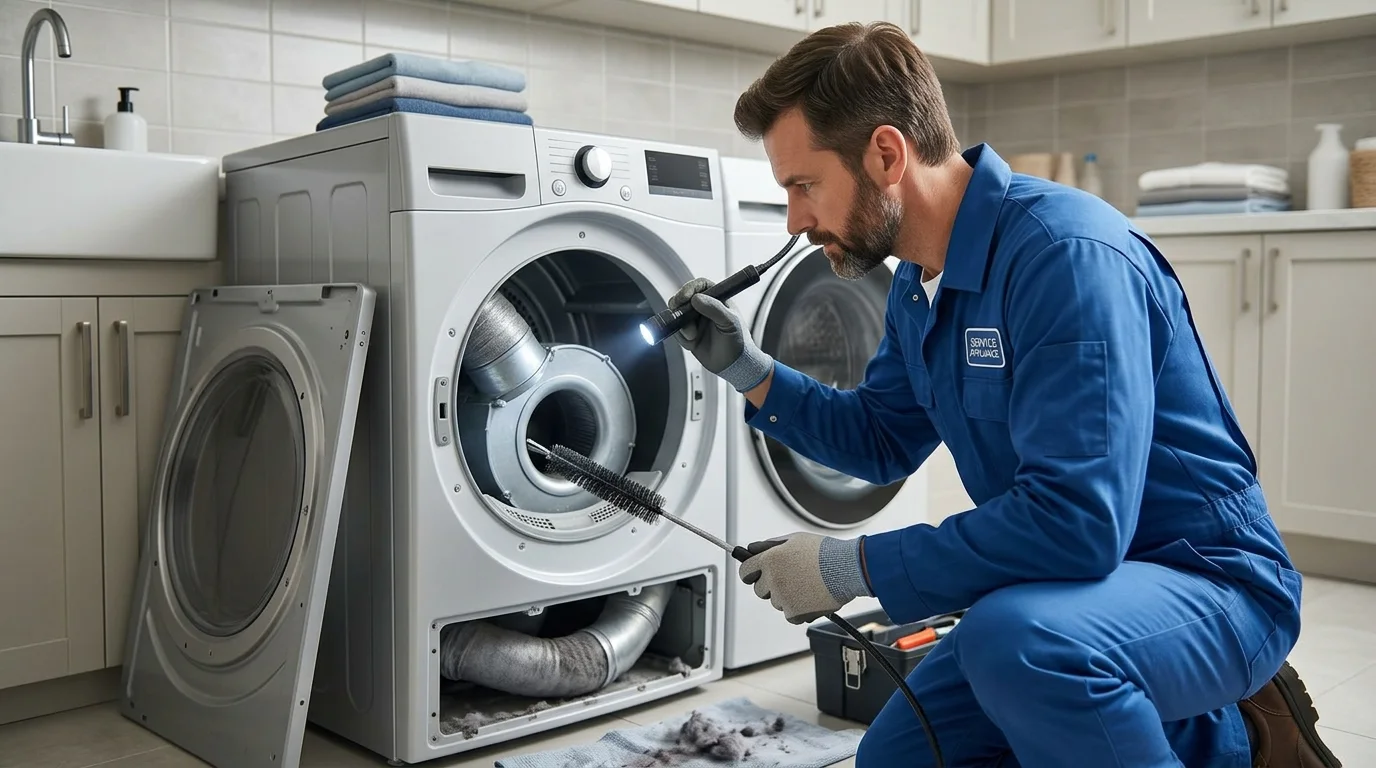
4. Consider the duct inside the home
If the lint filter, transition duct and outside hood are accessible and clear but airflow remains weak, the restriction may be inside the concealed vent run. Long runs, multiple elbows and accumulated lint can reduce flow well before the problem is visible at either end.
At that point, continuing to run longer cycles is not a useful test. The vent system should be properly inspected and cleaned. A dryer can produce normal heat and still take too long to dry because the moisture has nowhere to go.
Symptoms That Support an Airflow Problem
The Flow Sense code becomes more informative when it matches what the dryer is doing.
- Clothes are hot but still damp: heat is reaching the load, but moisture removal may be poor.
- Drying time has gradually increased: lint accumulation in a vent can build over time rather than causing one sudden failure.
- The laundry room feels unusually warm or humid: exhaust air may not be leaving efficiently.
- The dryer becomes very hot or cycles heat aggressively: restricted airflow can change the temperature pattern and trigger protective behaviour.
- The code appeared after the dryer was moved: check the transition duct first for crushing or kinking.
None of these clues proves the exact location. They help confirm that the code and the real drying behaviour are pointing in the same direction.
What the D80, D90 or D95 Code Does Not Prove
The code does not prove the dryer needs a new Flow Sense sensor. It does not prove the heating element or burner is bad. It does not prove the blower is broken. It does not tell you that a particular section of the house vent is clogged.
This distinction matters because parts replacement can miss the real problem. If the wall vent is restricted, replacing an internal dryer component does not create a clear exhaust path. If the accessible vent path is clear but the code persists, then internal airflow, sensing, heating or control conditions can be evaluated with the model-specific service information.
LG’s separate long-dry-time guidance also connects extended drying and poor heating performance with airflow restriction. That reinforces why vent condition belongs near the beginning of the diagnostic process.
Common Mistakes That Keep the Code Coming Back
Cleaning only the lint screen. The lint filter is one checkpoint, not the whole exhaust system. A clean screen does not clear a restriction ten feet down the duct.
Resetting the dryer without fixing airflow. A cleared display is not the same as a cleared vent. If the physical restriction remains, the warning or poor drying performance can return.
Running repeated heavy loads to test it. That adds heat and lint to a system already reporting restricted airflow. Use the manufacturer-approved diagnostic approach instead of repeatedly stressing the system.
Assuming the highest code means the dryer is ruined. D95 can still be caused by the exhaust path outside the dryer. Severity of airflow restriction is not the same thing as severity of an internal component failure.
What to Check After the Airflow Path Is Corrected
After an accessible restriction has been corrected, run the model-approved check or a normal test cycle with a modest load. Observe whether the code returns, whether outside airflow is stronger, and whether drying performance has improved.
If airflow is now strong and the warning does not return, the vent condition was likely central to the complaint. If the code returns despite a confirmed clear exhaust route, save the exact code and model number for service rather than continuing to clean the same areas.
A persistent warning with a verified clear vent can justify checking the dryer’s internal airflow path, blower operation, temperature behaviour, sensing system, wiring and controls. Those checks are model-specific and may require disassembly and live testing.
Why Vent Length and Elbows Can Matter
A vent does not need one dramatic plug to create an airflow problem. Every turn, long horizontal run and rough internal surface adds resistance. A system that was marginal when clean can become restrictive as lint gradually collects at elbows or low points. That is why a D80 or D90 warning can appear even when the short duct behind the dryer looks clear.
If the dryer exhaust travels through a ceiling, long wall cavity or several turns before reaching outdoors, tell the vent professional or appliance technician. The route itself is useful context. Do not shorten or reroute concealed ductwork without considering building and fire-safety requirements for the installation.
If Outside Airflow Seems Strong but the Code Returns
Strong airflow at the exterior hood is reassuring, but it does not automatically close the diagnosis. The warning may be intermittent, the vent may restrict only under certain conditions, or the dryer may have an internal airflow or sensing issue. Save the exact code and note whether it appears with every load or mainly with heavy loads.
A technician can compare the dryer’s internal airflow, blower condition, temperature behaviour and Flow Sense information with the model-specific service procedure. The point is to verify the system rather than assume that a clear-looking exterior outlet proves every section is clear.
When to Request Appliance Repair
Request professional assessment if D80, D90 or D95 keeps returning after the accessible lint screen, transition duct and exterior outlet have been checked, or if the dryer also shows weak heat, unusual noise, overheating, burning odour or abnormal shutdowns. If the hidden house vent is restricted, a qualified vent-cleaning service may also be needed.
If you want the dryer itself assessed after the airflow checks, Request Appliance Repair. Include the exact code, whether the dryer is gas or electric, whether outside airflow feels weak or strong, and whether the vent path was recently cleaned or changed. Those details help separate a vent problem from a dryer-side problem without guessing at a part.
Need Appliance Repair?
Share the appliance, brand, address, symptoms and optional photos online. A contractor can review the request and contact you about availability and next steps.
Start Your Repair Request